|
Resample AMR
|
Total Audio MP3 Converter resamples AMR files by different bit rates.
The software also supports more than 90 audio and video files and batch resampling.
- Free Download Total Audio MP3 Converter
- Install the Software by Step-by-step Instructions
- Launch Total Audio MP3 Converter
- Choose AMR Files
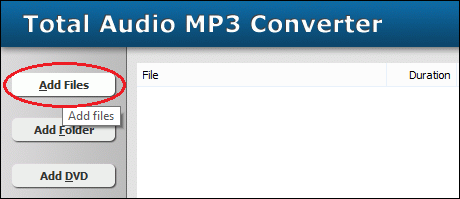
Click "Add Files" to choose AMR files and then add them to conversion
list.
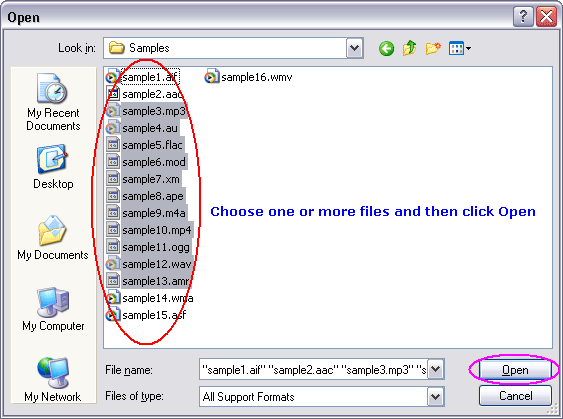
Choose one or more AMR files you want to convert and then click Open.
- Set AMR Encoding Parameters
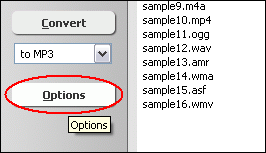
Click "Options"
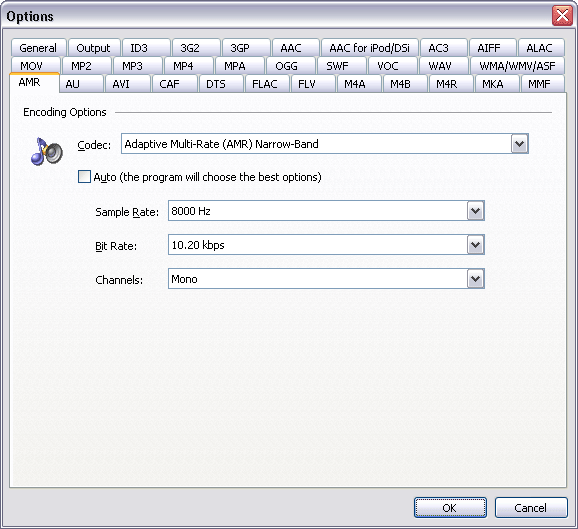
Switch to tab "AMR Options." At Encoding Parameters section,
you can set the bit rate. In general the bigger the bit rate is, the better the
quality is.
The converter accepts the following bit rates: 4.75 kbps, 5.15 kbps, 5.9 kbps,
6.7 kbps, 7.4 kbps, 7.95 kbps, 10.2 kbps, and 12.2 kbps.
Click OK when set is done.
- Choose "to AMR"
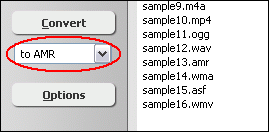
- Resample AMR

Click "Convert" to resample AMR files.
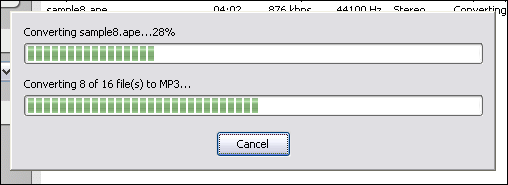
The software is resampling AMR files.
- Play & Browse
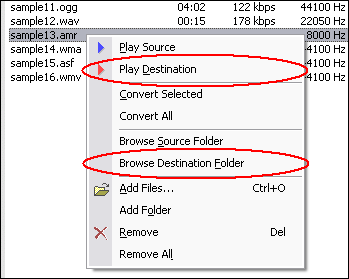
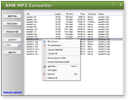
When conversion completes, you can right-click converted item and choose "Play
Destination" to play the destination file; or choose "Browse Destination
Folder" to open Windows Explorer to browse the destination file.
Top
What is AMR?
Adaptive Multi-Rate (AMR) is an audio data compression scheme optimized for speech
coding. AMR was adopted as the standard speech codec by 3GPP in October 1998 and
is now widely used in GSM and UMTS. It uses link adaptation to select from one
of eight different bit rates based on link conditions. AMR is also a file format
for storing spoken audio using the AMR codec. Many modern mobile telephone handsets
will allow you to store short recordings in the AMR format.
Resample AMR Related Topics:
AC3 to AMR,
ADX to AMR,
AIFF to AMR,
AMR to AAC,
AMR to MP4,
AMR to OGG,
AMR to WAV,
APE to AMR,
FLAC to AMR,
IT to AMR,
M4B to AMR,
M4V to AMR,
MO3 to AMR,
MOD to AMR,
MTM to AMR,
OGA to AMR,
OGG to AMR,
S3M to AMR,
SND to AMR,
SPX to AMR,
UMX to AMR,
WAV to AMR,
WV to AMR,
XM to AMR,
Resample AMR
|